


Don't-Miss Stories

iOS 12: How to turn on and use the thesaurus
In iOS 12, you can use the Oxford American Writer’s Thesaurus with the ‘Look Up’ feature.

iOS 12: How to enable favicons (site icons on tabs) in Safari
Those little icons on browser tabs can make it easier to quickly identify sites.
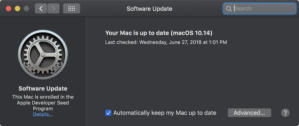
MacOS Mojave: How to perform system updates
Apple changed the way to access the macOS system update settings to a Software Update system preference.

MacOS Mojave: How to turn off or turn on recent apps in the Dock
Get quick access to recently-used apps.

iOS 12 and macOS Mojave: What is Continuity Camera and how to use it
The Mac can use an iOS device to import photos or scans directly into documents.

How to create a bootable macOS Mojave installer drive
Put the macOS Mojave installer on an external USB thumb drive or hard drive and use it to install the operating system on a Mac.

MacOS Mojave: How to add emoji to emails in Apple Mail
Emoji are popular with text messages. Now you can use them in emails, too.

MacOS Mojave: How to turn on favicons in Safari 12 tabs
Tabs can now display site icons to make it easier to identify a webpage.

How to remove the iOS 12 beta from your iPhone or iPad
You gave it a shot, but the iOS 12 beta is just too buggy. At least you made a backup before installing it, right?

MacOS Mojave: What is Dark Mode and how to use it
The new Dark Mode uses dark-themed UI elements to make detail and images on-screen pop, and it also lessens eye fatigue.

MacOS Mojave: What is Dynamic Desktop and how to use it
You desktop wallpaper can now reflect the time of day.

MacOS Mojave: What is desktop Stacks and how to use it
Organize the cluttered mess on your desktop in an instant.

MacOS Mojave: How to use Gallery View and view metadata in the Finder
The new Finder has enhancements that make it easier to work with your files.

MacOS Mojave: What are Finder Quick Actions and how to use them
Perform fast and easy edits to your photos and videos, right in Finder. No need to launch an app.

How to prepare a Mac for sale or a return to an employer
When you need to give up or sell a Mac, how can you make sure you keep what you need and leave a wiped machine?