


Don't-Miss Stories

How to make voice and video calls using Alexa and your Amazon Echo
You can use Alexa on your Amazon Echo to make calls without a mobile number or landline? Here's how.

How to turn on Dark Mode on iPhone and iPad
In this video, Macworld’s Leif Johnson uses an iPhone XS Max to show you how to enable Dark Mode on your iPhone or iPad.

How to install the macOS Catalina beta in its own APFS container
You can have your Catalina and still be Mojave fresh.

Google Keep Notes: 10 tips and tricks to become a master
Google Keep Notes isn't as basic as it seems. Here are 10 tips and tricks so you can unlock its full potential.

iOS 13: How to automatically close Safari tabs
Get that huge list of open tabs under control with iOS 13’s helpful new feature.

Is iOS’s Do Not Disturb While Driving driving you around the bend? Change its behavior
Will you use it in a car? On a boat? In a tram? Maybe: scram!
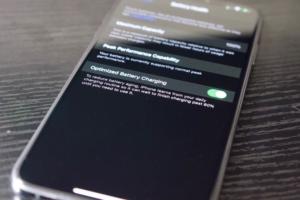
iOS 13's new Optimized Battery Charging feature explained
If you want your iPhone’s battery to hold its charge over time, you’ll enable this feature.

iOS 13: How to quickly connect to Bluetooth devices
No more jumping between your app and Settings just to connect to your favorite Bluetooth headphones.
How to back up your Google Photos library now that Google Drive auto-sync has shut down
Google is shutting down the ability to sync your Google Photos library automatically to Google Drive, but you can still keep a backup of your pics. Here's how.

How to quickly join Wi-Fi networks in iOS 13
No more digging into the Settings menu—you can join Wi-Fi networks right from the Control Center!

How to automatically delete the web activity and location history data in your Google account
Google has launched a new privacy setting that lets you automatically delete your location and web activity data. Here's how to do it.

Your Time Capsule has died. How can you wipe its data?
Fire up the hair dryer or get cracking. You’ll need to extract the hard drive.

Can’t download photos from your iPhone to your Mac? It could be a trust issue
An obscure problem can keep you from syncing your phone.

How to use Sidecar to make your iPad a secondary Mac display in macOS Catalina and iPadOS
Been wanting a secondary monitor for a Mac? It’s possible you already have one.

iPadOS 13: How to use the floating digital keyboard
The iPhone typing experience comes to Apple’s tablet, and the iPad is the better for it.

Getting Time Capsule failure warnings? Here’s what you can do
Time Capsule drives can fail, and they’re not worth trying to replace.